Main Window
The main window of ErControl consists of the navigation bar on the left and the content area on the right, in which the selected page appears (training overview, profiles, users, devices, settings and so on). The training windows open separately from it, see Training window.
Home page
The home page greets the logged-in user and shows, in the Overview section, the open database (with its directory), the number of trainings in total and in the current week, and the date and time of the last training. About ErControl… at the top right shows information about the installed version.
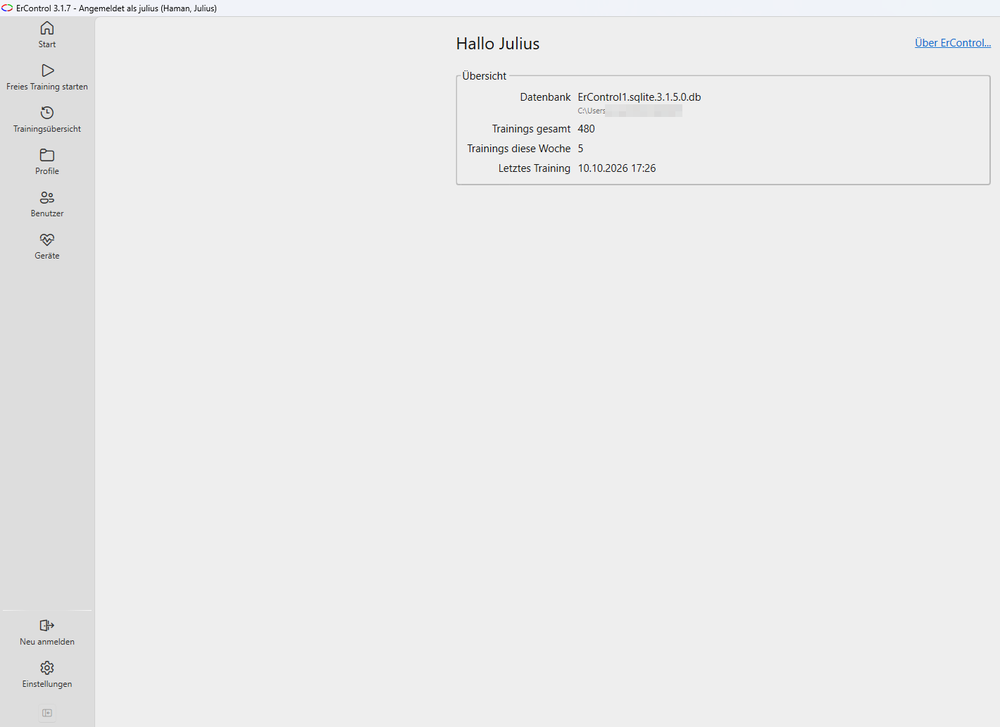
Main window with the navigation bar on the left and the start page.
Notice about a new version
If a newer ErControl version exists, an orange highlighted notice appears at the top of the home page with the number of the new version and a Go to download page link, which opens the download page on ercontrol.de in the browser. ErControl checks this once per program start in the background; if the computer is offline or the page cannot be reached, no notice appears and nothing delays the start. The check can be switched off in the Settings (Check for a new version at program start, applies per user).